|
Miva
Merchant is a dynamic
storefront development and management system that enables merchants
to create, enhance, and maintain an online storefront presence easily,
all from their web browser. From easy point-and-click look and feel
enhancement to advanced management of order and customer data, Miva
Merchant can do it all.
Miva Merchant
includes a complete set of step-by-step wizards to simplify the
process of building a store, for e-commerce beginners. It also includes
an Advanced Administration mode, for those users who are more familiar
with the inner workings of an online storefront, which allows access
to an assortment of built-in features. Aftermarket modules integrate
seamlessly, providing additional features and flexibility, thanks
to Miva Merchant's modular architecture.
Easy
to Get Started
Easy
to Configure
Once
you have that down pat, or you've done e-commerce before, you're
ready for the Advanced Administration.
This is where you will manage and maintain your Miva Merchant store.
Through the Advanced Administration, you will have access
to a variety of useful features, many of which are listed below:
|
Custom Fields
|
Customize Product Display to Suit Your Business - Enhance
existing product information by defining your own product
fields to be shown on the product display screen. You can
create fields for any form of product data, such as ISBN,
UPC, Manufacturer, etc.
|
|
Attribute Templates
|
Manage the Attributes of Many Products at Once - Instead
of building attributes individually per product, you can create
one template of attributes to assign quickly to multiple products.
Changes can be made to the single attribute template, and
applied to all products using it.
|
|
Inventory Tracking
|
Stay on Top of Your Inventory Levels - Track
inventory levels for your products automatically in Miva Merchant.
With inventory tracking, you can display customized messages
to your shoppers related to stock levels, and even temporarily
hide out of stock products.
|
|
Export Utilities
|
Utilize the Data from Your Store - Export
order, product, customer, and affiliate data conveniently
with multiple export utilities built-in to Miva Merchant.
Data is exported to a secure location on your website.
|
|
Flat-File Import
|
Import Your Existing Product Database - Import
thousands of products at once with the Flat-File Import module.
You can even set inventory levels, assign products to existing
categories, and apply attribute templates, all with just one
import.
|
|
Site Traffic
and Sales Statistics
|
Know Who's Visiting, and Who's Buying - View
storefront hits and visits, count revenue, and track which
products in your Miva Merchant store are your bestsellers,
automatically in the admin interface.
|
|
Affiliate Program
|
Put Networking to Work - Use
a partner�s website to drive traffic to your Miva Merchant
storefront with the affiliate program. Affiliates can login
and keep track of earnings based on defined commission levels,
per affiliate. Affiliates also have access to a banner image
and an affiliate-specific URL to your storefront for use in
promoting.
|
|
Order Encryption
|
Provide Security for Your Shoppers - Encrypt
sensitive order details with order encryption. Payment information
is locked with a passphrase that you create, to help prevent
stolen data.
|
|
ELF2 Logging
|
Track Revenues and Transactions - Miva
Merchant can generate a log file for use with Urchin�s E-Commerce
module for the Urchin� v5 software. Use this
log to track revenue and transaction information.
|
|
Availability Groups
|
Products Exclusively for Special Customers - Create
groups of customers that have access to special products or
categories that are not publicly available. Availability Groups
are very useful when selling special membership merchandise.
|
|
Price Groups
|
Special Pricing for Special Customers - Price
Groups can be used to offer certain customers discounts on
specific products in your store. You can use price groups
to create a wholesaler group with a percent discount off the
retail price.
|
|
Related Products
|
Increase Sales of Complementary Products - Draw
customers� attention to complementary products to help boost
sales with the related products feature. You can assign an
unlimited number of related products.
|
|
Upsale
|
Increase Sales at Checkout - Offer
special discounted products to your customers during checkout
when they spend a certain amount in your store. You can even
tie an upsold product to another item in your storefront.
|
Easy
to Customize
Miva Merchant
has a number of convenient, point-and-click look and feel enhancement
tools designed to give you flexibility for customizing your store.
In addition to the pre-defined templates, Miva Merchant offers HTML-ready
headers and footers on each storefront page. You can also easily
integrate your Miva Merchant storefront into your existing website,
or use the look and feel tools to create a unique, stand-alone shopping
experience.
Easy
to Manage
Miva Merchant
has extensive management systems that handle all the aspects of
products, categories, customers, and orders. With an easy-to-use
administrative interface, managing all of your store�s data has
never been easier.
Miva Merchant
allows an unlimited number of products to be listed in your storefront.
Detailed product descriptions can be created using HTML, and product
attributes can be assigned to display options. The product management
system helps you organize your products and easily manage all product
data.
Just like products,
Miva Merchant can handle an unlimited number of categories. Use
the category management system to create your main categories, and
further specify with sub-categories. Assigning products to categories
and sub-categories is conveniently handled within the category management
system.
Keeping track
of your customers can be a hassle. But with Miva Merchant�s customer
management system, it�s a snap. Customers can create accounts on
your storefront, and add or update their contact information. Using
your customer database, you can offer special pricing and products
when customers sign-in to your store.
Your Miva Merchant
orders come into a centralized location within your Miva Merchant
admin. Under Order Processing, you can batch your orders at the
end of the day, run a batch report to analyze order data, and even
process your orders through your payment gateway right from within
Miva Merchant.
Easy to Collect Money
|
Miva Merchant
has a wide variety of built-in payment modules, designed to
work smoothly with industry leaders. These payment modules
were designed in partnership with the Payment Gateway providers,
to ensure security and ease-of-use. Just turn it on, enter
your account information, and the payment module does the
rest.
If convenience
is what you desire, we offer Miva Payment.
Tightly integrated into Miva Merchant, Miva Payment features
advanced fraud screening, an online Virtual Terminal, and
order processing directly through the Miva Merchant admin
interface. Coupled with our world-class customer service,
Miva Payment offers you a complete credit card processing
solution.
|
Included
Payment Gateway modules:
- Miva
Payment
- Authorize.Net
- Cardservice/LinkPoint
- Check Payment
- COD
- Credit Card Payment with Simple
Validation
- CyberSource
- debit-it!
- E-Commerce Exchange/QuickCommerce
- e-ValuCheck
- GlobalCommerce
- Innovative Gateway Solutions
- Lynk Internet Processing
- Moneris e-SELECT
- Paradata Payment Service
- PayPal
- PayQuake
- Rodopi
- US Merchant Systems
- Verisign Payflow Pro
- Verisign Payflow Link
|
Easy
to Ship Orders
|
FedEx, USPS,
and UPS shipping calculators are included with Miva Merchant.
These modules retrieve shipping rates directly from the service
providers based on the weight of the order and the distance
it will be traveling. In addition to these automatic shipping
calculators, we have included a number of table-based shipping
modules to help you offer a range of shipping options to your
customers. With the table-based shipping modules, you can
build your own shipping rate tables to meet your needs.
|
Included
shipping modules:
Automatic Shipping
Calculators:
- FedEx Shipping Cost Estimate
- UPS Domestic Shipping Calculator
- U.S.P.S. Online Rate Calculation
Table-Based Shipping Calculators:
- Base + Weight Shipping
- Flat Rate Shipping
- Minimum or Weight Shipping
- Price Table Based Shipping
- Quantity Based Shipping
- Weight Table Based Shipping
|
Easy
to Calculate Tax
|
Configuring
sales tax can be a difficult task for a storefront administrator.
But with Miva Merchant, we have covered all possible ways
sales tax could be calculated, and built tools to help you
charge the right amount. From automatic sales tax percentage
calculation with CertiTAX to entering your own sales tax or
VAT charges, Miva Merchant covers all bases.
|
Included
Tax modules:
- CertiTAX
Real-Time Tax Solution
- State Based Sales Tax
- Shopper Selected Sales Tax
- Canadian VAT
- German VAT
- Generic VAT
|
Easy
to Sell Worldwide
|
No matter
if you are selling your products in the US, or anywhere else
in the world, Miva Merchant can display your product prices
in just about any currency format. Preset currency templates
for US and European currency make it easy to adjust your storefront
for those markets. With the Generic Currency module, you can
define your own currency layout.
|
Included
Currency modules:
- US Currency
- European Currency
- Generic Currency
|
Easy
to Expand
|
If
all of these features are not enough for you, don't worry.
Miva Merchant is specifically designed so developers and aftermarket
vendors can implement their own customized modules around
a common API. What this means for users is, Miva Merchant
can easily accept plug-in modules from third party developers,
to expand on the already wide array of built-in features.
With Miva's extensive Developer Network, finding a module
to meet your e-commerce needs is a breeze. No matter what
you may need your Miva Merchant storefront to do, with the
availability of third-party modules, anything is possible.
|
|
|
|
Miva
Merchant Online Demo Stores
|
|
|
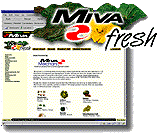
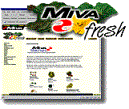
The Miva fresh online demo store
is an online storefront that demonstrates one possible implementation
of the Miva Merchant Storefront Development and Management
System.
|
|
|
Store Contents - 154 product records distributed among
18 different fresh produce categories comprise the contents
of the store. Some contain more items than others. Product
listings in each category lookup contain thumbnail images
of the products, and link to product display screens that
display a larger image of the product along with description,
pricing, and weight information.
|
|
|
|
Miva
Merchant Administration Demo
|
|
|
This demo has a pre-configured 'demo' login
for you to use in touring through the Miva Merchant Administration
System. Just click the
'Login' button on the login form of the
front screen to get started.
|
|
|
|
|
The system's interface is made
up of a black header menu bar for navigation, a grey margin
menu at left with links to all of the administration controls,
and a main 'Data Entry Area' at right. As a 'demo' store manager,
you'll be able to see all of the data and configurations of
the Miva fresh' demo.
|
|